Your model,
inside and out.
Explore, check and review an MBSE model in Capella / ARCADIA — or SysML v2 — right in your browser. A single HTML file: no installation, no server, works offline.
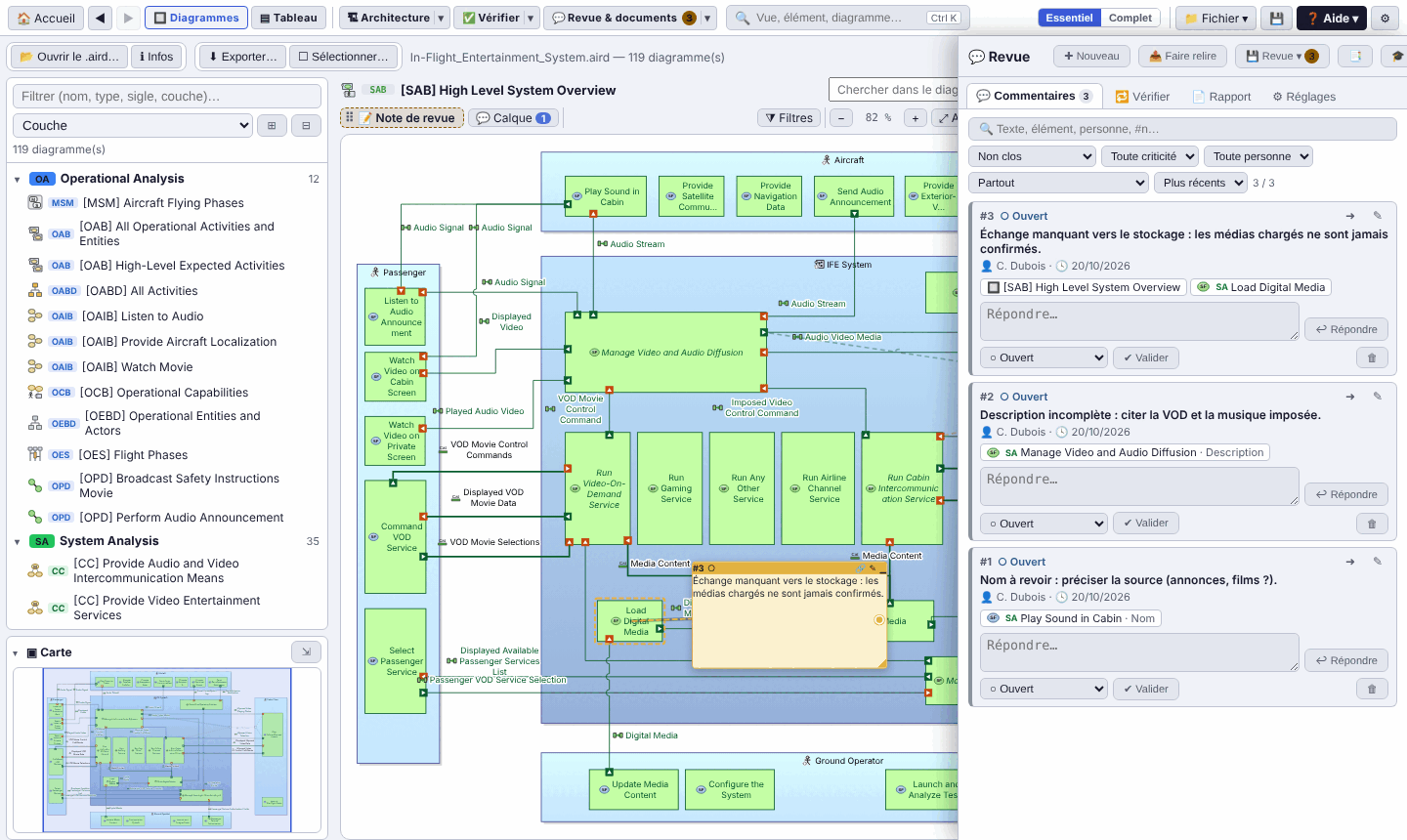
![Arcalyse showing the [SAB] High Level System Overview diagram of the public IFE model, with the per-layer diagram explorer](../img/11-diagrammes.png)
Three steps, that's all
No account, no server to deploy: Arcalyse reads the .capella file directly and, if you provide it, the .aird file with the diagrams.
Download the file
In English, in French or bilingual. Copy it wherever you like: local disk, network share, USB stick.
Open it
A double-click is enough: it opens in your browser, even without a connection.
Drop your model
The .capella file or the whole project folder: model, diagrams and libraries in one go.
From operational analysis to EPBS, the whole model at a glance
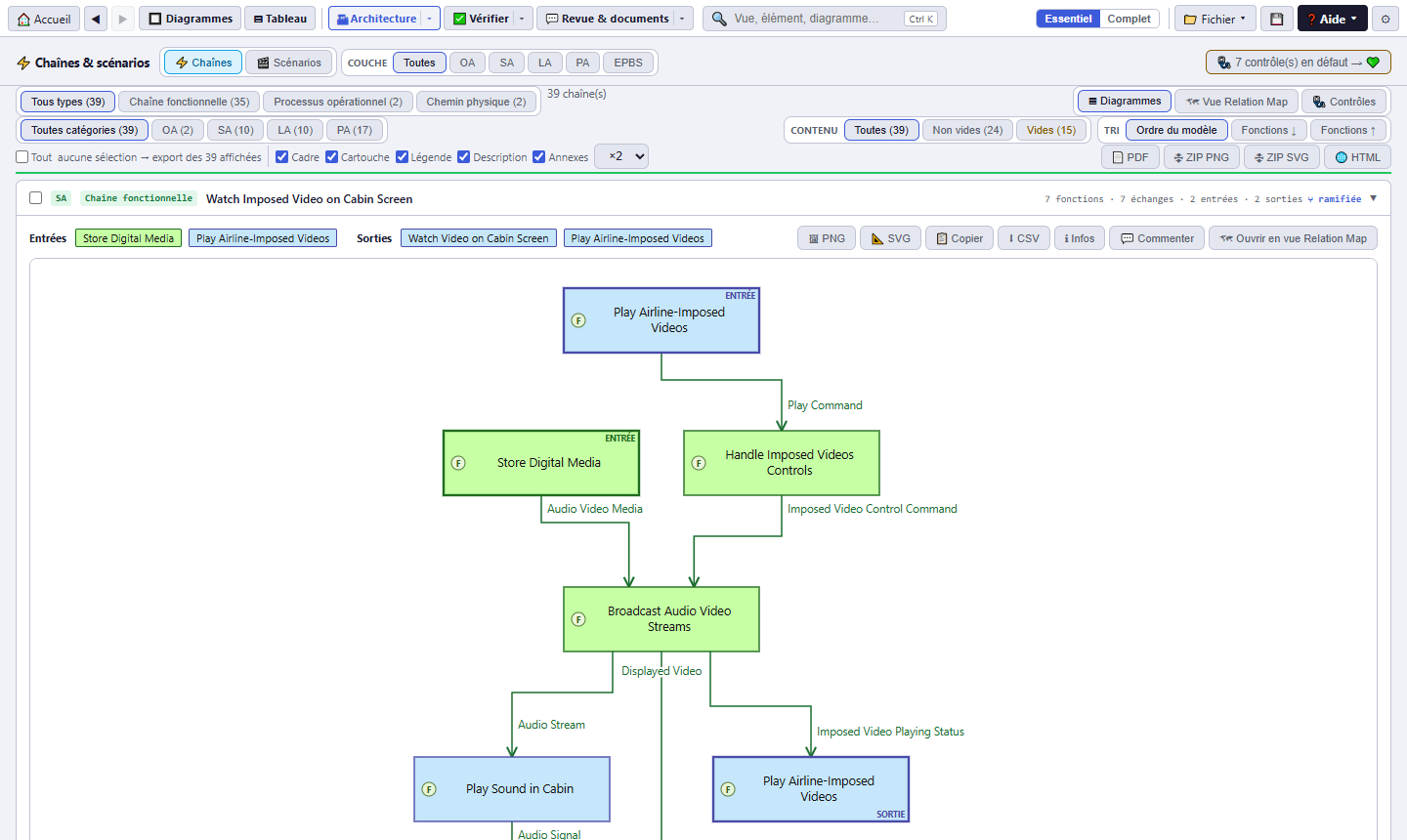
Arcalyse unfolds the model layer by layer and follows realizations from one to the next: a system function down to its physical component, a functional chain down to its exchanges.
See the views ↓Understand, check, review
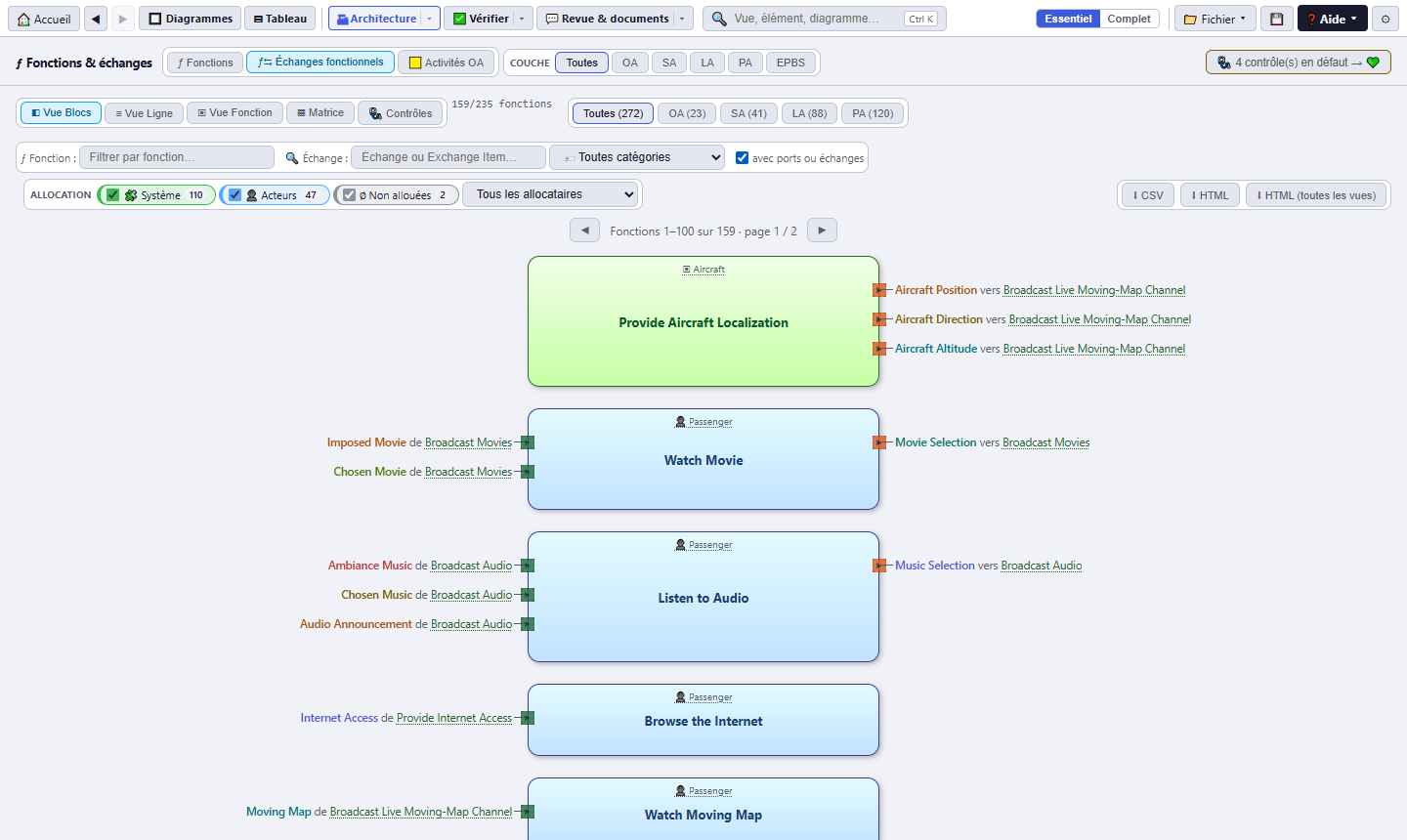
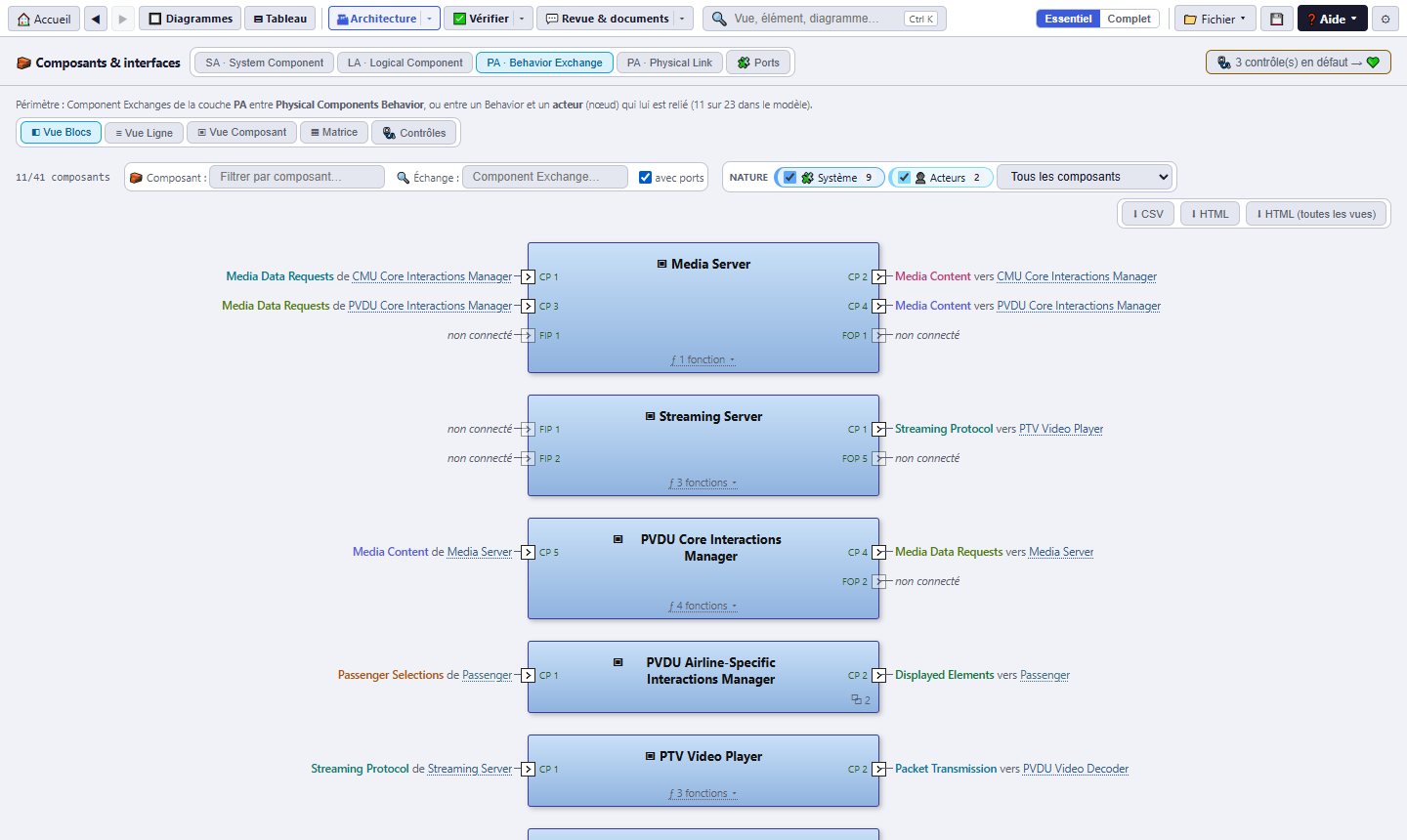
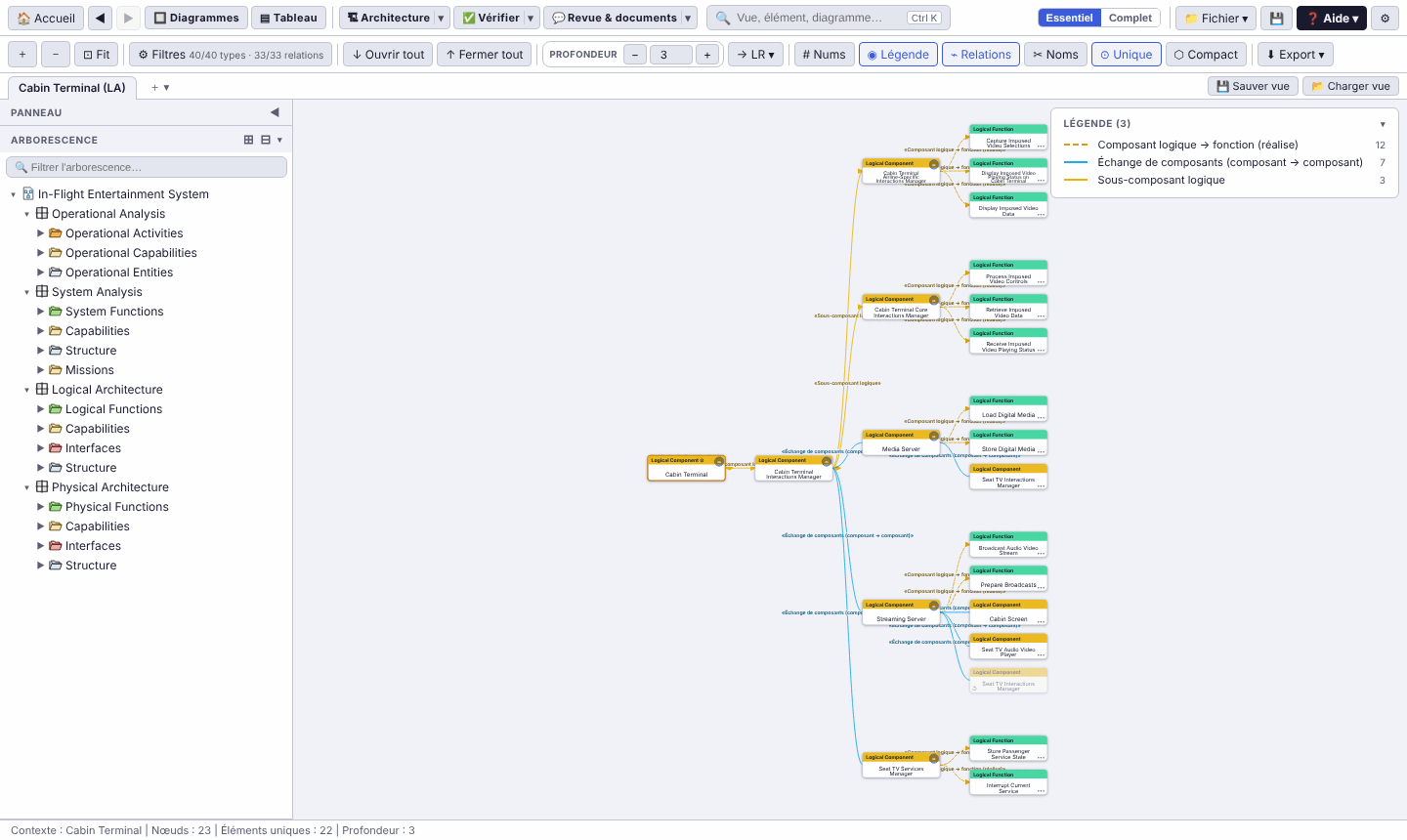
The views follow Capella's logic and go further: everything is linked, clickable and exportable (CSV, Excel, PNG, SVG, PDF, HTML). Screenshots show the French interface.
Arcalyse 4.0
Choose the interface language; all three versions offer the same features.
Suggest an improvement
Arcalyse grows with its users. An idea, a gap, a bug: say so on GitHub, in English or in French. A free GitHub account is enough; every request is public and tracked until it ships.
An idea
A missing view, a check to add, an export… Describe the need, even in two lines: the form is pre-filled.
Suggest an improvement →A problem
A model that will not open, a badly drawn diagram: give the Arcalyse and Capella versions, and what you expected.
Report a problem →A question
About usage, enterprise deployment or the roadmap. The answer will help the next person.
Ask a question →Prefer code? The repository accepts pull requests: github.com/romain-lescole/Arcalyse. Do not attach a confidential model to an issue: an anonymised excerpt or a description is enough.
Good to know
Is my model sent anywhere?
No. The HTML file contacts no server: the model is read in memory by your browser. You can check this by disconnecting from the network. The same holds for “Try it online”: the page is served by the website, but your model stays in your browser.
Can I try it without a model?
Yes: the online demo opens Arcalyse already loaded with the public In-Flight Entertainment System model and its 119 diagrams. Loading takes a few seconds (about 3 MB). For your own models, open an empty Arcalyse and drop your file into it. Sample model: © The Capella contributors, Eclipse Public License 2.0.
Which files can I open?
A .capella file (or .melodymodeller, .xml), the whole project folder (model, .aird diagrams and libraries), a SysML v2 model (.sysml, .kpar archive or folder of .sysml files), or a project page .html saved by Arcalyse. Coming soon: SysML v1 (versions 1.0 to 1.7), UML and ReqIF, then more formats.
Do I need Capella on my computer?
No. Arcalyse reads the XML of the model and of the .aird; diagrams are redrawn in the browser. The Capella version of the model is shown on the project home page.
Can I edit the model?
Arcalyse is read-only. Editing will be the job of Arcature, the editing tool for Capella and SysML v2 files, currently being finalized.
How do I keep my work (review, documents, settings)?
Save the 💾 project page: it contains the model and your work, and reopens in later versions of Arcalyse (since 2.1), with everything restored.
How do I deploy it in my company?
Put the HTML file on a network share or an intranet: there is nothing else to install. Check its SHA-256 checksum on the Download page.
How do I suggest an improvement or report a problem?
On GitHub, from the Suggest an improvement section: three pre-filled forms (idea, problem, question). A free GitHub account is enough; English and French are both fine.
Arcalyse will also read SysML v1 (versions 1.0 to 1.7) and UML models, as well as requirements in the ReqIF exchange format. More formats will follow.
SysML v1.0 to 1.7UMLReqIF…The editing tool for Capella and SysML v2 files, Arcalyse's companion, is being finalized.